
Pull the voice out of the room.
Separum splits any recording into dialogue and background, so you can turn the voices up, the room down, and enhance speech without leaving your session.
macOS · AU · Instant download · Windows VST3
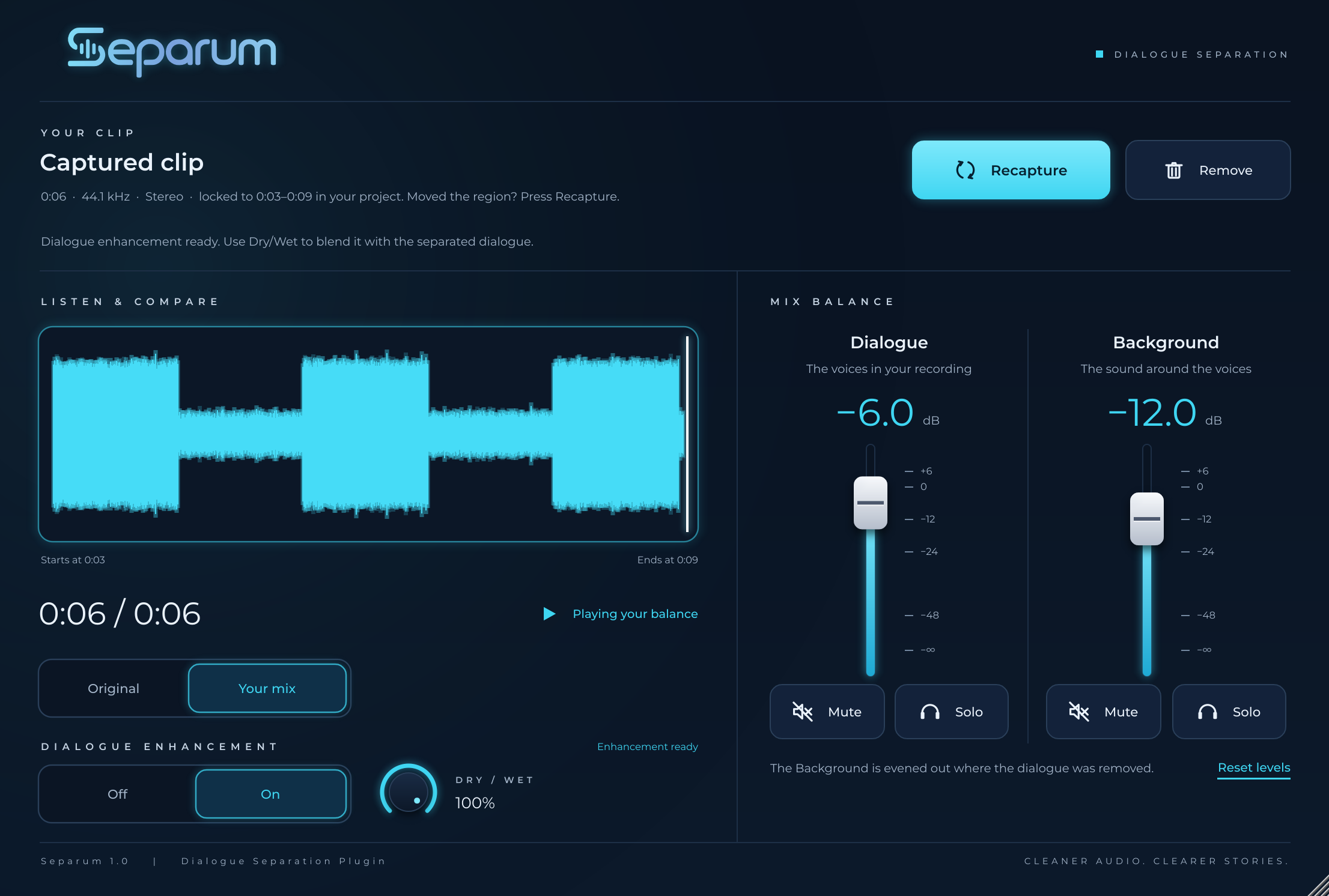
Two faders. A cleaner mix.
Dialogue / background split
Separum pulls the voices away from everything around them. Ride each on its own fader, from −∞ to +6 dB.
Dialogue enhancement
One switch for clearer, more present speech, with a Dry/Wet knob to blend it in just the right amount.
Listen and compare
Flip between the original and your mix in one click. Mute or solo either layer to hear exactly what changed.
Room tone on demand
Mute the dialogue and bounce the background for clean room tone, ready for edits and fills.
Capture. Balance. Bounce.
Capture your clip
Put Separum on the track and capture the region. It stays locked to that spot in your project.
Set the balance
Move the Dialogue and Background faders until it sounds right. Both at 0 dB recreates the original.
Bounce it out
Print the result like any other plugin. Built for mixing and post work, not live tracking.
One-time purchase. Yours to keep.
- Dialogue and background separation
- Dialogue enhancement with Dry/Wet
- AU plugin for Logic Pro on macOS
- License code emailed right after checkout
- Free 1.x updates
Secure checkout with Stripe. Questions? luke@simply-brand.com
Good to know
Which DAWs does it work in?
Separum 1.0 is an Audio Unit for Logic Pro on macOS. A Windows VST3 version is on the way.
How do I get it after buying?
You'll get a download link and a unique license code by email right after checkout. Enter the code the first time you open the plugin.
Do I need to be online to activate?
No. Activation happens on your machine, with no account and no server check.
Can I get help?
Email luke@simply-brand.com and you'll hear back from the person who built it.